
Broadbean / Logic Melon#
Pump integrates in a 360 manner with Broadbean and LogicMelon. This enables your recruiters to:
- Post to Broadbean/LogicMelon (Job Boards) from a Requirement.. You are also able to post a job out to an external website through the Microsoft Dataverse API.
- Bring back Job Responses and related Parsed CV records from Broadbean/LogicMelon when ranking either within Pump (see Pump Global Settings Option) or within Broadbean/LogicMelon
Setup#
To setup the ATS 360 Integration with Broadbean or LogicMelon, connection settings are required to be entered in Pump Global Settings and the individual user records must be configured, for those users who will post job adverts that have been created in Pump to job boards through Broadbean or LogicMelon.
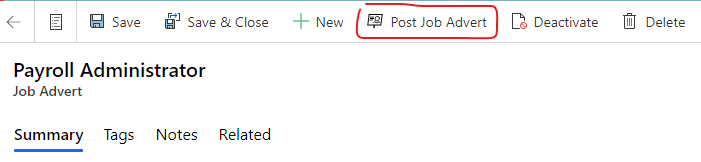
Only when these settings have been populated and the users configured will it be possible for users to see the 'Post Job Advert' button, to enable Job Adverts to be posted to Broadbean or LogicMelon.
Global Settings#
- In the bottom-left corner, open the Settings area.
- Select the Global Settings menu point and then click on the Master Global Settings Record
- Select the ATS 360 Integration Settings tab.
- Choose the Integration Provider - the ATS provider you are integrating with, either 'Broadbean' or 'LogicMelon'
- Enter the Administration Email (the login used for processing the job adverts and job advert responses). This is usually the username for your Broadbean/LogicMelon administrator account.
- Enter the API Key - Please liaise with us to get a new API Key for your existing account from Broadbean/LogicMelon.
- Enter the API Token - Please liaise with us to get a new API token for your existing from Broadbean/LogicMelon.
- Save the Master Global Settings Record.
Allow Job Advert Response Ranking Within Pump#
It is also possible to allow users to set the Rank of Job Advert Responses coming from Broadbean or LogicMelon from within Pump.This is controlled via the Global Setting named Allow Job Advert Response Ranking Within Pump? Also found under the 'ATS 360 Integration Settings' tab.
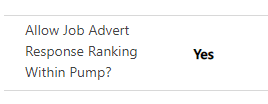
This Global Setting usually defaults to "No", if the Global Setting is blank then a value of "No" is assumed. In either case, the Rank field on Job Advert Response records is read-only.
If the Global Setting is changed to "Yes", the Rank field on a Job Advert Response becomes editable, which enables the Rank of every Job Advert Response to be modified in Pump.
User Settings#
- Click on Advanced Settings (top-right cog) then select the Settings option at the top
- Select the Security option and then select Users.
- Open the User record you want to setup to work with the ATS 360 Integration
- Scroll down to the Pump User Settings tab and find the ATS 360 section

- In the Email field, enter the users email address used to access the ATS 360 system.
- In the ribbon menu, press the Manage Roles button.
- Tick the Pump - ATS 360 User Security Role, then press OK.
- Save the User record.
- Repeat these steps for each user who will be posting Job Adverts.