
For Users to be able to access Model-driven Apps on the Power Platform within your Instances, such as Pump, your main Security Role for all users should be assigned to the application.
Pump - Recruiter role will already added to the Pump app by default on both instances.
Add the Security role to the Model-driven App#
In order to do this:
- Go to https://{INSTANCE_NAME}.crm{X}.dynamics.com/apps (there you will see all your Apps):
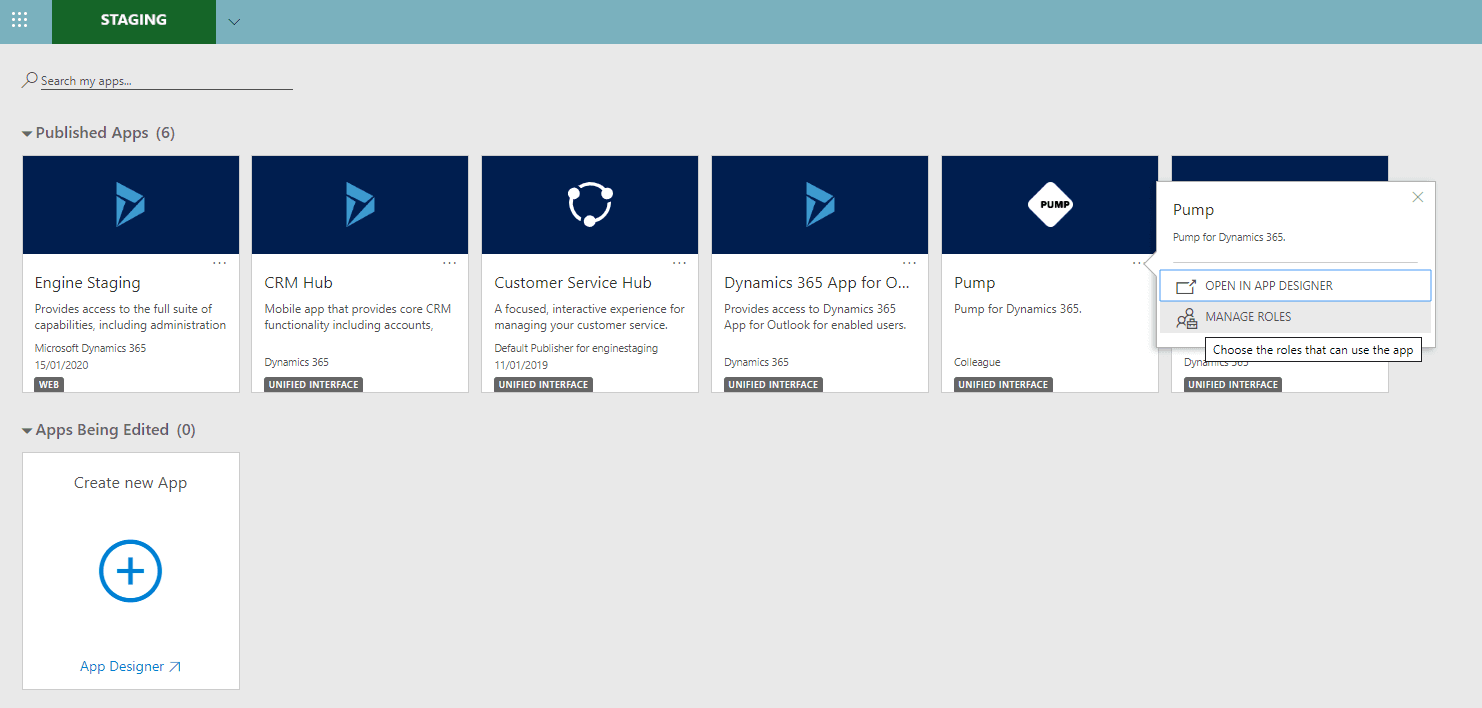
- Click the ellipsis button on the app you want to configure security roles for.
- Click Manage Roles.
- In the Dialog, select roles and click Save (use a Security Role that all Users will have).
Ensure Security Role has Model-driven App Read Privilege#
Ensure the Security Role's you have applied to the Pump app has Read access privileges for Model-driven App:
- Access the Dynamics 365 web application as a user with the System Administrator security role.
- Navigate to Settings, click Security, and then click Security Roles.
- Open the role assigned to the user.
- Click the Customization tab and locate the Model-driven App privilege. Verify the role includes at least Read access for this privilege.
- Click Save and Close.