

Terminology Comparisons#
| Pump | |
|---|---|
| Profile | Person Record (Candidate & Contact) |
| Pipeline | Requirement |
| Talent Pipeline | Application |
Feature Summary#
| In LinkedIn Recruiter | In Pump |
|---|---|
| ‘In CRM’ indicator | View LinkedIn Profile details from People and Application records |
| View Pump record in LinkedIn | Automatic matching of LinkedIn profiles against existing Pump records. Select an assign LinkedIn profiles based on suggested matches. |
| ‘In CRM’ filter when searching in LinkedIn | Send InMail within Pump (via LinkedIn widget) |
| Export member profiles from LinkedIn into your CRM - 'Export to CRM' | Track InMails as Histories in Pump |
| Export contact information from LinkedIn into CRM (profile must agree to this - GDPR) | |
| Export/Sync Pipeline with Requirements in Pump | |
| Synchronise Talent Pipelines with Pump Applications |
Using LinkedIn CRM Connect in LinkedIn Recruiter
‘In CRM’ indicator when accessing LinkedIn profile#
The In CRM indicator is displayed in LinkedIn Recruiter when a LinkedIn profile is already linked to an existing record in Pump. This gives recruiters immediate visibility of whether the candidate is already known to the business before they decide to make contact.
By surfacing this information directly in LinkedIn Recruiter, users can reduce duplicate sourcing activity, review previous interactions, and make better-informed engagement decisions. Where appropriate, the user can also navigate from LinkedIn Recruiter directly to the corresponding CRM record in Pump.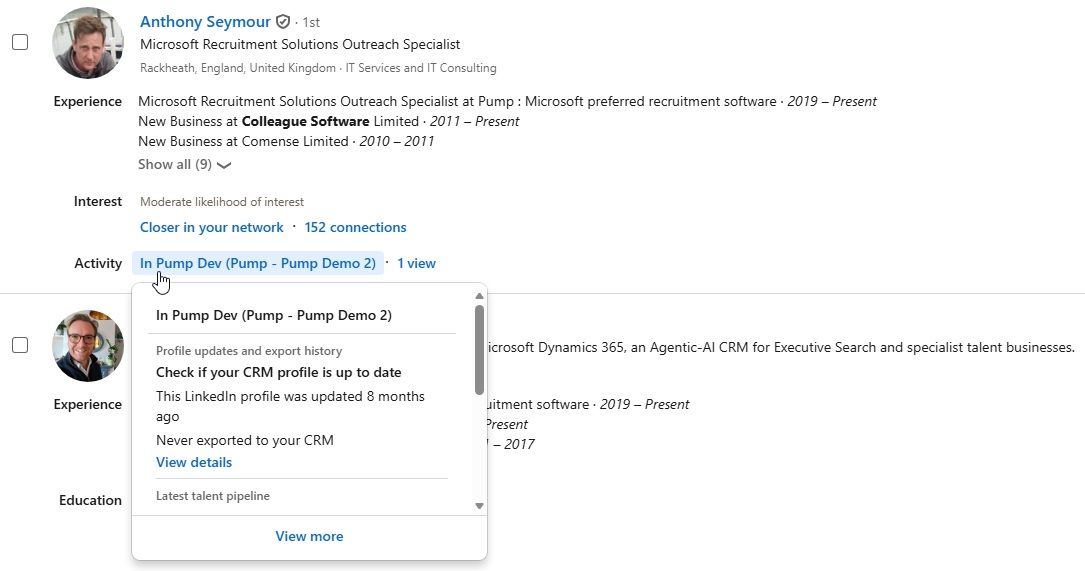
‘In CRM’ filter when searching in LinkedIn Recruiter#
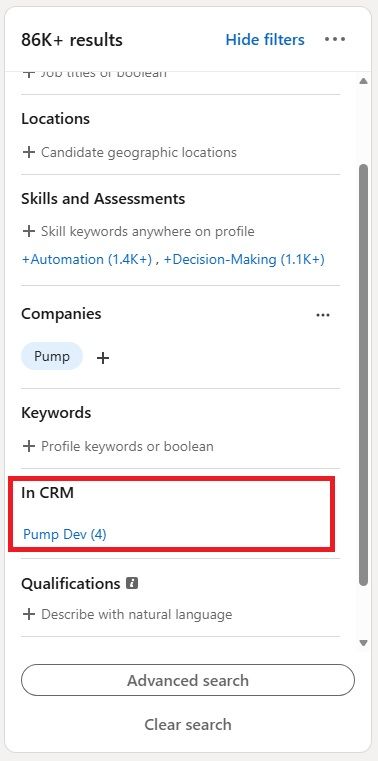
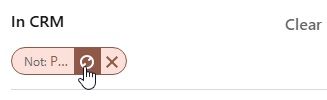
When running a candidate search in LinkedIn Recruiter, within the filter options you will find the ‘In CRM’ filter. This helps users control whether their search results should include or exclude people already recorded in Pump. This can be useful when rediscovering known candidates, reviewing existing relationships, or focusing only on new prospects.
For example, if a recruiter searches for developers in London, setting In CRM to Yes will return candidates already recorded in Pump. Setting it to No will return candidates who are not yet held in Pump, helping the recruiter identify new talent.
Click on the ‘exclude’ icon to ensure only records that are not on Pump are listed in the Search Results:
View Pump record details in LinkedIn Recruiter
CRM Connect synchronises key recruitment data from Pump into LinkedIn Recruiter so users can review relevant CRM information while working inside LinkedIn. This synchronised data may include candidate records, contact records, applications, requirements, InMail histories, and activities.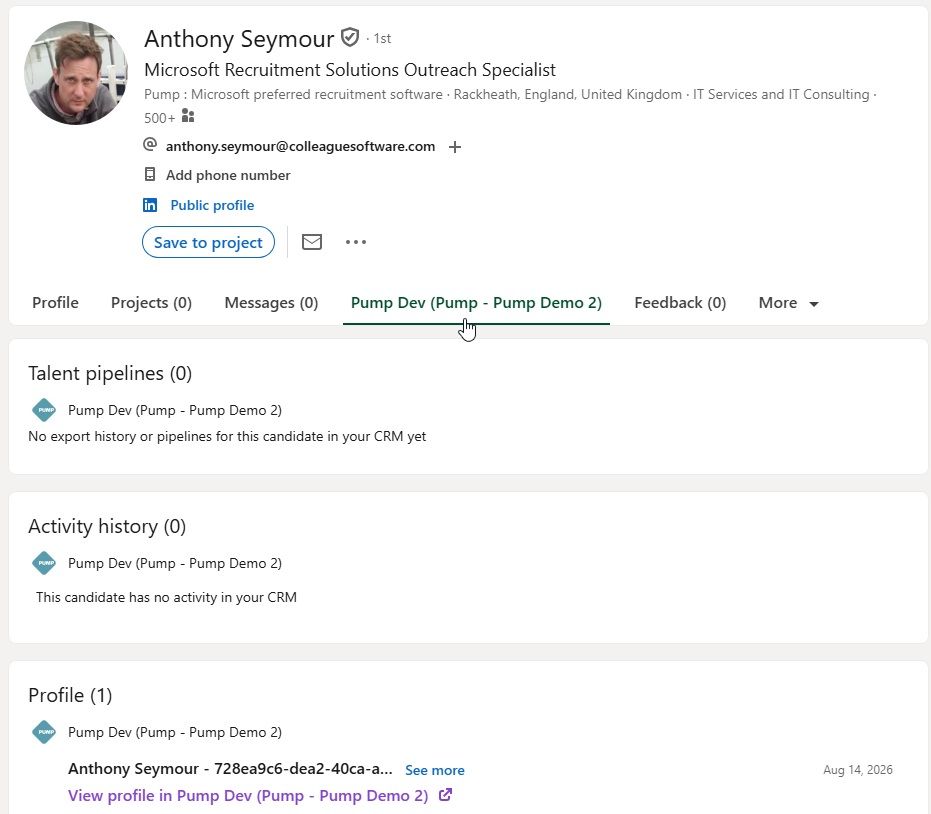
Where a candidate is associated with an application in Pump, the application status will be synchronised into LinkedIn Recruiter and displayed against the candidate’s Talent Pipeline.
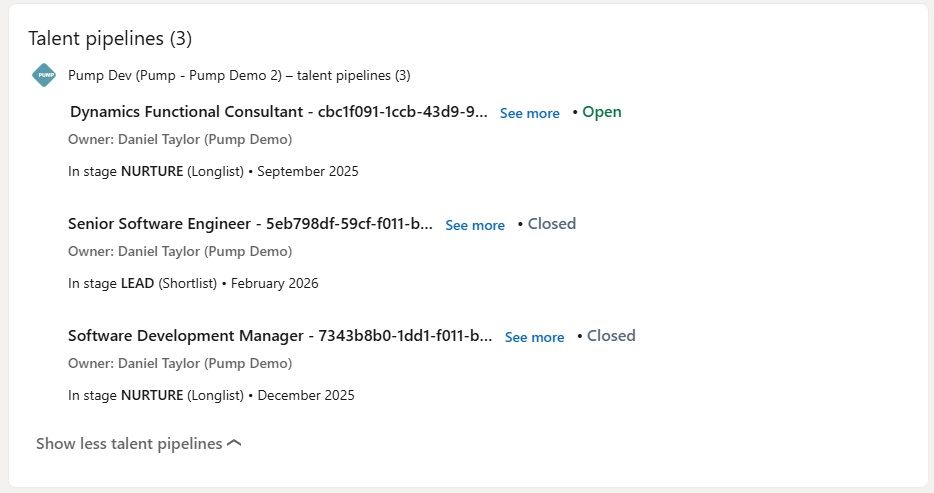
The table below shows how Pump application statuses are mapped to LinkedIn Recruiter Talent Pipeline statuses.
| Status in LinkedIn | Status in Pump |
|---|---|
| NUTURE | Longlist |
| LEAD | Shortlist |
| CONTACTED | CV Sent to Client |
| INTERVIEW | Interview Stage |
| DECLINED | Candidate Rejected Offer |
| OFFER | Offer Made |
| OFFER | Offer Accepted |
| HIRED | Placed (Created Cost Auth) |
| REJECTED | Application Rejected |
| REJECTED | Exception State |
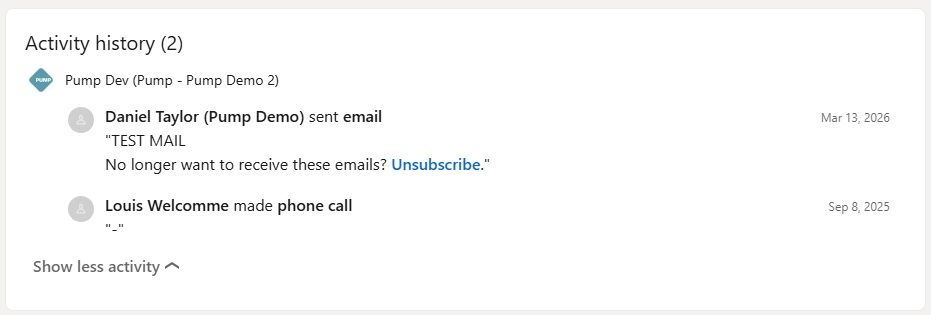
Profile activity information is also synchronised between the systems.
Activities uploaded from Pump into LinkedIn Recruiter will include phone calls, SMS messages, emails and meetings. These are listed in LinkedIn Recruiter using the designated ‘sort date’ from Pump so that activity history appears in date order.
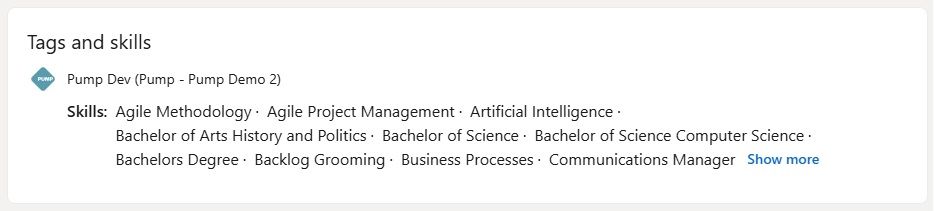
Tags and skills held in Pump are also uploaded into LinkedIn as part of the synchronisation process (this includes both general and compliance tags).
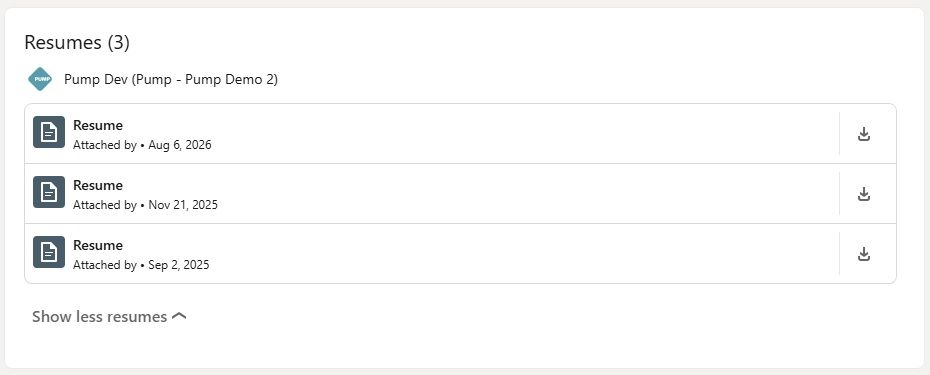
Resumes held against the Candidate will also be visible in LinkedIn Recruiter:
Export member profiles from LinkedIn into your CRM - 'Export to CRM'#
Users can export LinkedIn Recruiter profiles into Pump by selecting Export to CRM from the profile or search result menu in LinkedIn Recruiter. During this process, the user must assign a Pipeline, which corresponds to a Requirement in Pump.
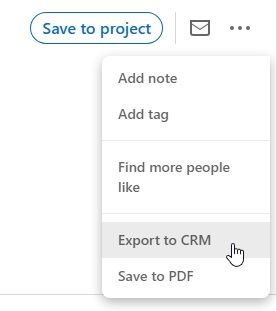
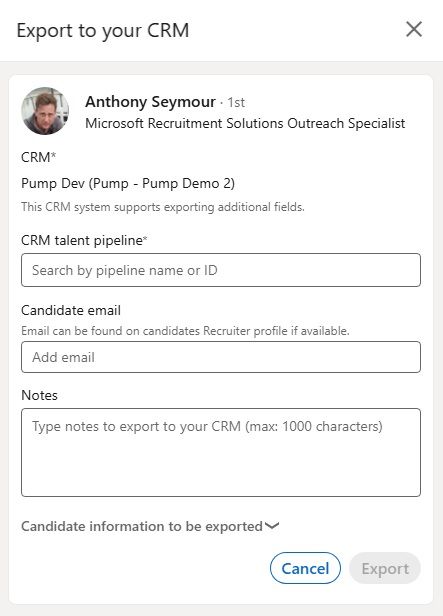
The ‘CRM talent pipeline’ field will be a lookup of synchronised Pipelines (Requirements).
The information exported from LinkedIn may include the following:
- First Name
- Last Name
- Profile URL
- Headline
- Location
- Education
- Experience (last two only)
- Top 3 Skills
- Years of experience
- Source (LinkedIn Recruiter)
- Notes
Email address and notes are optional fields, where available and entered by the user.
Access to Pipelines may be controlled by ACL (Access Control List) settings linked to Business Units. This functionality is enabled via a Global Setting covered within the Activation Guide:

‘Restrict LinkedIn visibility by Business Unit’ Yes/No
When enabled, users will only be able to select Pipelines (Requirements) that fall within their permitted Business Unit visibility.
There are several key points to be aware of when exporting records to Pump:
- Important - Candidates do not have ACL settings related to Business Units; only Talent Pipelines and Requirements are controlled by these settings.
- Important - The LinkedIn headline is received from LinkedIn, but it is not currently written to a Dynamics field.
- Important - The application sync with Talent Pipelines does not extend to showing interview details.
- Important - The export does not include the LinkedIn Profile picture.
- Important - Location is passed as country via ISO lookup to address1_country and city name to address1_city. It does not perform geolocation and does not include a postcode.
- Important - The top three skills are mapped to a dedicated LinkedIn custom field, with the skills separated by commas. This is separate from the standard Pump tags and skills.
- Important - LinkedIn profiles include a setting that controls whether the profile can be exported to a CRM. This is set to Yes by default and is stored under Settings & Privacy → Visibility → Off-LinkedIn visibility.
Warning - If the profile has denied permission for their profile to be exported, the user will see the message: ‘This member does not allow profile export’.
Export contact information from LinkedIn into CRM#
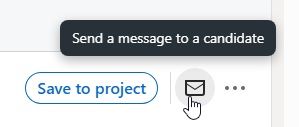
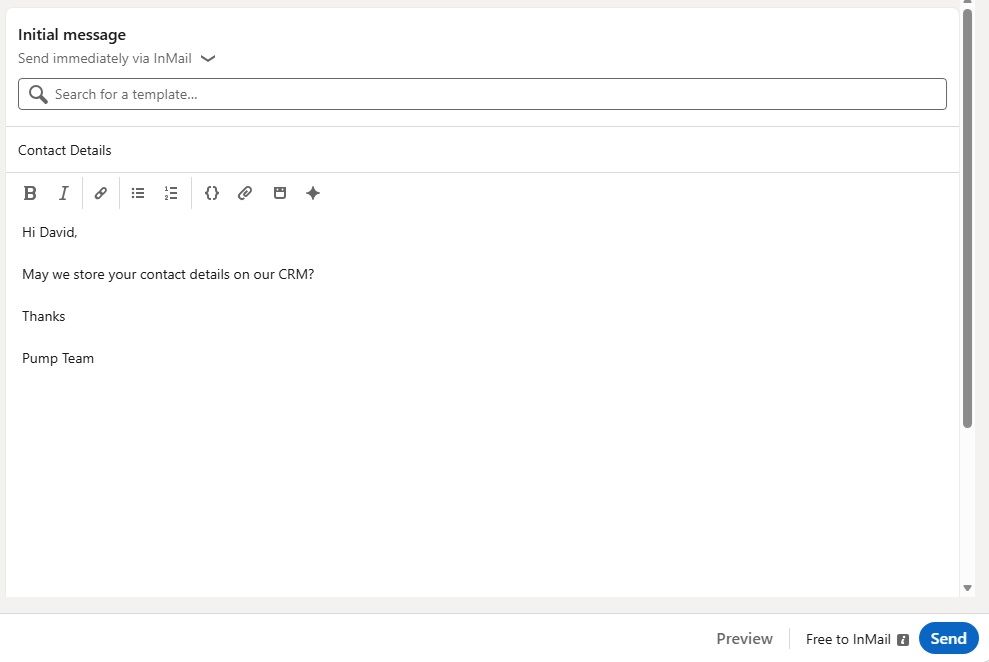
LinkedIn Recruiter also allows users to request permission from a profile before exporting contact information into the CRM. The recipient can approve or reject the request.
If the request is approved, the contact details can be used to create or update a corresponding record in Pump.
Using LinkedIn CRM Connect in Pump#
Within Pump, users can access LinkedIn CRM Connect information from the LinkedIn CRM Connect tab on Candidate and Application records. This widget allows users to review LinkedIn profile information without needing to leave the Pump record.
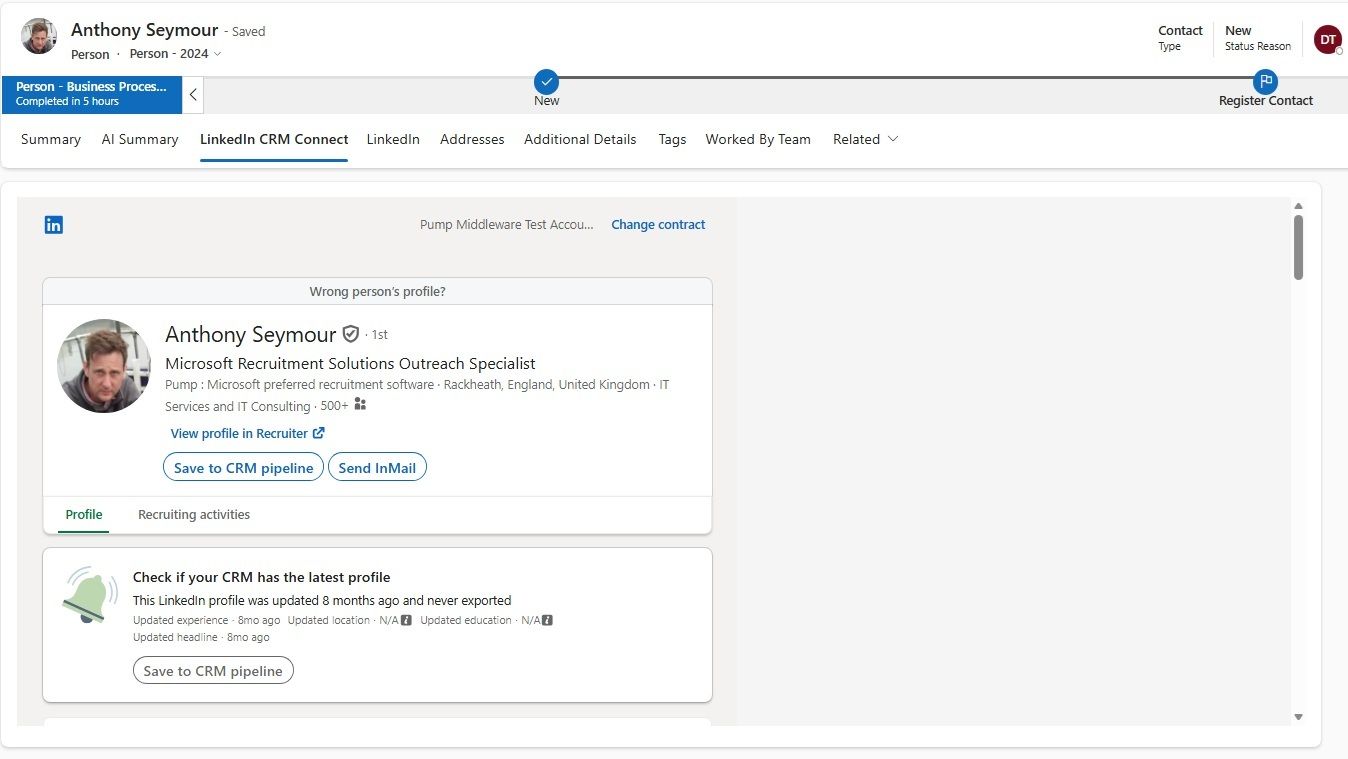
This widget will display the following LinkedIn profile details:
- Summary Information
- Work Experience
- Education
- Skills and Endorsements
- Accomplishments
- Qualifications
- Certifications
- Interests
- Personal Information
Recruiting activity from LinkedIn Recruiter can also be reviewed against the relevant Pump record.
When an existing Pump record is not yet linked to a LinkedIn profile, Pump will attempt to identify a corresponding LinkedIn profile during the synchronisation process. Any potential matches are presented to the user from within the LinkedIn CRM Connect tab on the Pump record, allowing the recruiter to select and link the correct profile.
If a record has been linked to the wrong LinkedIn profile, users can select the ‘Wrong person’s profile’ option to unlink the record. A manual link option is also available where the recruiter can search for and connect a profile manually.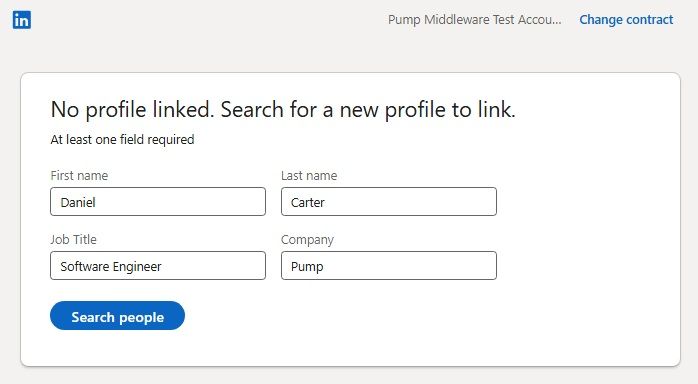
Users can also send InMail from within Pump using the LinkedIn widget. LinkedIn Recruiter activities and InMails are tracked against the Pump record, helping users maintain a clear history of engagement.
InMails are stored in Pump as activities, including details such as subject, description, associated candidate, created date and time, and related sender and recipient records. LinkedIn ‘messages’ are not currently synchronised.
Synchronisation#
People records and Requirements/Applications are synchronised to LinkedIn within five minutes, ensuring that changes made in Pump are picked up almost immediately.
‘InMail’ history is pulled from LinkedIn every 30 minutes.
All other scheduling tasks are processed overnight.
There are some important points to note regarding the synchronisation:
- Important - The application sync with Talent Pipelines does not extend to showing interview details.
- Important - The synchronisation does not include the LinkedIn Profile picture.
- Important - If the record already exists in Pump, work histories are not updated by the synchronisation process.
LinkedIn References#
The following references provide supporting information for LinkedIn Talent Solutions and CRM Connect. These can be used by administrators, trainers, or support users when validating functionality or reviewing LinkedIn’s official guidance.
| Reference | Purpose | Link / Details |
|---|---|---|
| LinkedIn Talent Solutions | General LinkedIn hiring and Talent Solutions information. | LinkedIn Talent Solutions |
| CRM Connect Overview | Microsoft Learn overview of LinkedIn CRM Connect. | CRM Connect Overview |
| CRM Connect Release Notes | Release notes for reviewing changes, updates, and supported functionality. | CRM Connect Release Notes |