
Prerequisites#
Access to the System Administration area in Pump.
An active LinkedIn Recruiter account. Customers need to arrange a LinkedIn Recruiter contract with LinkedIn before they can enable the integration. Click the following link for an overview based on your LinkedIn Recruiter license type: Access CRM Connect features | Recruiter Help
Dynamics Users included in the integration will be matched to their corresponding LinkedIn account via an automated process. If this process fails to find a match the Administrator will need to look up the User manually. (see section "Unmatched LinkedIn Seats").
LinkedIn CRM Integration Settings (On Pump)#
To activate and configure the integration:
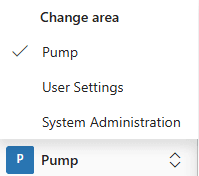
Click the Check Area menu in the bottom left of the Pump UI, select System Administrator.
Click on Master Global Settings.
Within the Global Settings section, select the ‘LinkedIn CRM Connect’ tab.
The tab is split into two sections:
Left - LinkedIn's settings, shown in an embedded iframe
Right - Pump's settings and integration analytics
Enabling the Integration (LinkedIn Settings)#
The left-hand side of the tab displays LinkedIn's native settings panel. (This can also be accessed within LinkedIn Recruiter settings.)
Select ‘Change contract’ and choose your LinkedIn Recruiter contract
Then select ‘Choose Integrations’.
Tick ‘CRM Connect’.
Click Save to enable the integration.
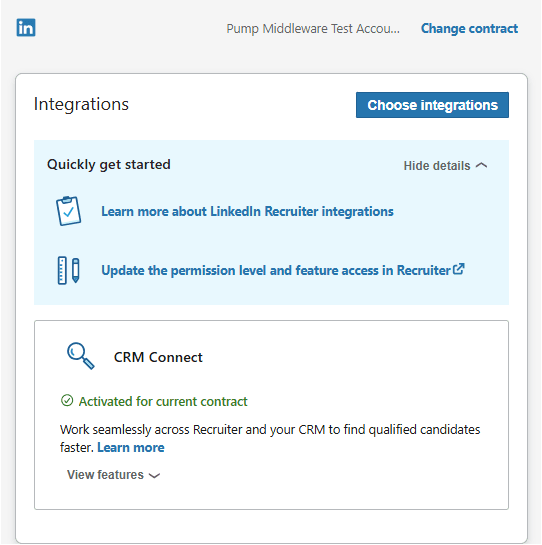
TIP Use the ‘View features’ option to see a full list of the functionality included with the integration before enabling it
Configuring Pump Settings#
The right-hand side of the tab holds Pump's settings for the integration, plus sync analytics. The settings at the top are optional and can be adjusted to suit the customer.
LinkedIn Integration Enabled#
Fixed to ‘Yes’.
This can't be changed - it just confirms the integration is active once enabled in Section 4.
LinkedIn Candidate Source#
An optional setting that defaults the ‘Source’ field on Candidates and Applications created via the integration. This will be set as 'LinkedIn' by default.
Useful for customers who want to distinguish between sources such as 'LinkedIn' and 'LinkedIn Recruiter' in their reporting.
Restrict LinkedIn Visibility by Business Unit#
Defaults to ‘No’.
Turning this on applies the customer's existing Business Unit structure to limit visibility of LinkedIn data.
Only relevant for customers who already use Business Units to restrict data visibility elsewhere in Pump.

Monitoring the Integration#
LinkedIn Sync Status Panel#
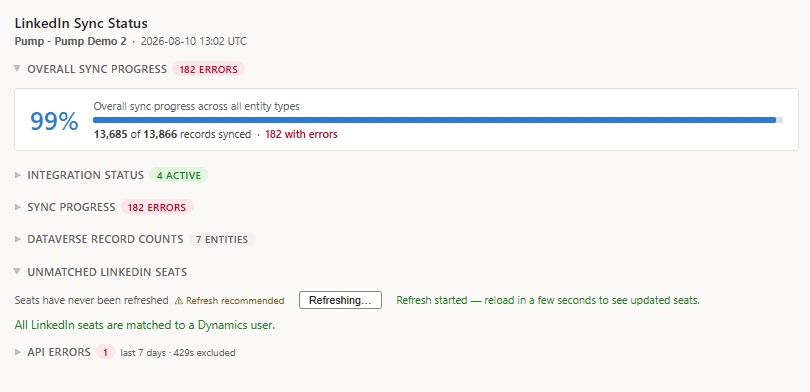
The main LinkedIn Sync Status panel provides an overview of the integration's health and activity, including:
Integration status - whether the integration is currently active.
Enabled features - which LinkedIn CRM Connect features are turned on.
Sync progress - overall synchronisation progress across all existing and historical entities.
Key points on synchronisation#
People records and Requirements/Applications are synchronised to LinkedIn within five minutes, so changes in Pump show up almost immediately.
'InMail' history is pulled from LinkedIn every 30 minutes.
All other scheduling tasks are processed overnight.
There is no limit on the number of records that can be synchronised.
Any sync errors are displayed in this area, with an option to export errors to CSV for review.
Unmatched LinkedIn Seats#
This section identifies Dynamics Users connected to Pump whose accounts have not yet been matched to a LinkedIn account.
Matching is performed automatically by comparing each Dynamics User's email address with their LinkedIn account.
A User's Dynamics record and LinkedIn account will need to match for the User to be included in the LinkedIn CRM Connect integration.
- A list of unmatched Users will also be provided, with an interface for the Administrator to manually match LinkedIn accounts against the Users in Pump.
The automated process to match Users can also be refreshed from within the 'Unmatched LinkedIn Seats' section to re-attempt matching.
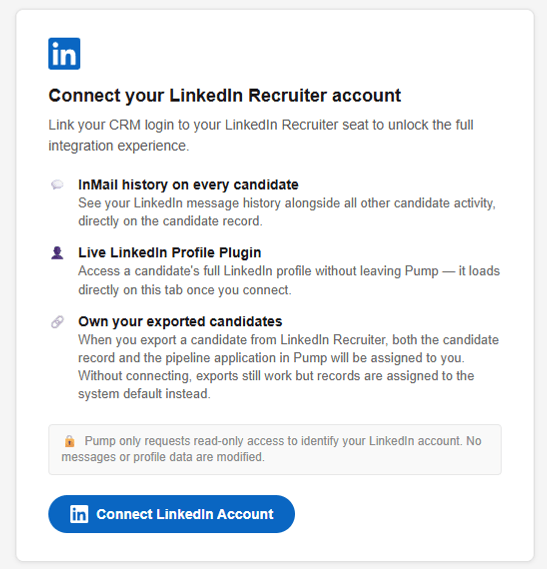
Should a User access the 'LinkedIn CRM Connect' tab on a record without their account being matched, they will be shown a message giving them the means to manually connect their account themselves.